 F&Bos
Restaurant Stock Replenishment and Low-Stock Management
Looking for automatic inventory replenishment for your restaurant? F&Bos deducts stock by recipe with every bill, alerts you when an item falls below its reorder level, and suggests how much to buy to reach par. You place the order.
What is automatic restaurant inventory replenishment?
Automatic inventory replenishment means software works out what to restock and acts on it. It runs in stages: tracking stock, alerting when it runs low, suggesting how much to buy, drafting orders and, at the far end, sending orders to suppliers.
F&Bos automates the first three: stock comes off by recipe with every bill, low-stock alerts reach the owner, and a suggested reorder list shows how much to buy. Ordering from suppliers stays with your team; F&Bos doesn't create purchase orders or contact suppliers.
Why restaurants need better stock replenishment planning
- Running out of an ingredient mid-service.
- Over-buying perishables that spoil.
- Stock counts on paper, once a week.
- Guessing how much to order.
- Each outlet ordering differently.
Key features of F&Bos restaurant inventory replenishment
Recipe-linked stock
Each saved bill takes its ingredients off stock.
Reorder and par levels
Per item; reorder levels can differ by outlet.
Low-stock alerts
On screen, WhatsApp to the owner, email and app.
Suggested reorder list
Par minus stock, exportable to Excel or PDF.
Goods receipts
Deliveries add to stock; returns take it off.
Transfers and central buying
Move stock or buy centrally for several outlets.
Source: F&Bos product team, 23 November 2026.
Connect restaurant orders with inventory consumption
When a bill is saved, each item deducts its recipe from stock, before payment. Cancelling a bill or item puts the ingredients back. Bills made offline deduct when they sync.
Illustrative recipe consumption example, not F&Bos customer data.
| Inventory function | F&Bos | How it works |
|---|---|---|
| Deduction trigger | Yes | When the bill is saved |
| Recipe-based | Yes | Gram-level recipes, variants with their own |
| Unit conversion | Yes | Bought in kg, used in g or ml |
| Modifiers | Price only | Stock follows the base recipe |
| Cancellation | Yes | Ingredients go back to stock |
| Wastage | Yes | Reason and rupee value |
Source: F&Bos product team, 23 November 2026. Recipes are kept in recipe management software.
Par level software for restaurant ingredients
| Term | Meaning in F&Bos |
|---|---|
| Current stock | What F&Bos shows on hand after bills, receipts and waste |
| Reorder level | Below this, the item is flagged low and alerts go out |
| Par level | The level you want to restock to |
Illustrative quantities, not F&Bos customer data. The suggestion is par minus stock. It doesn't round to pack sizes or allow for lead time; adjust before you order.
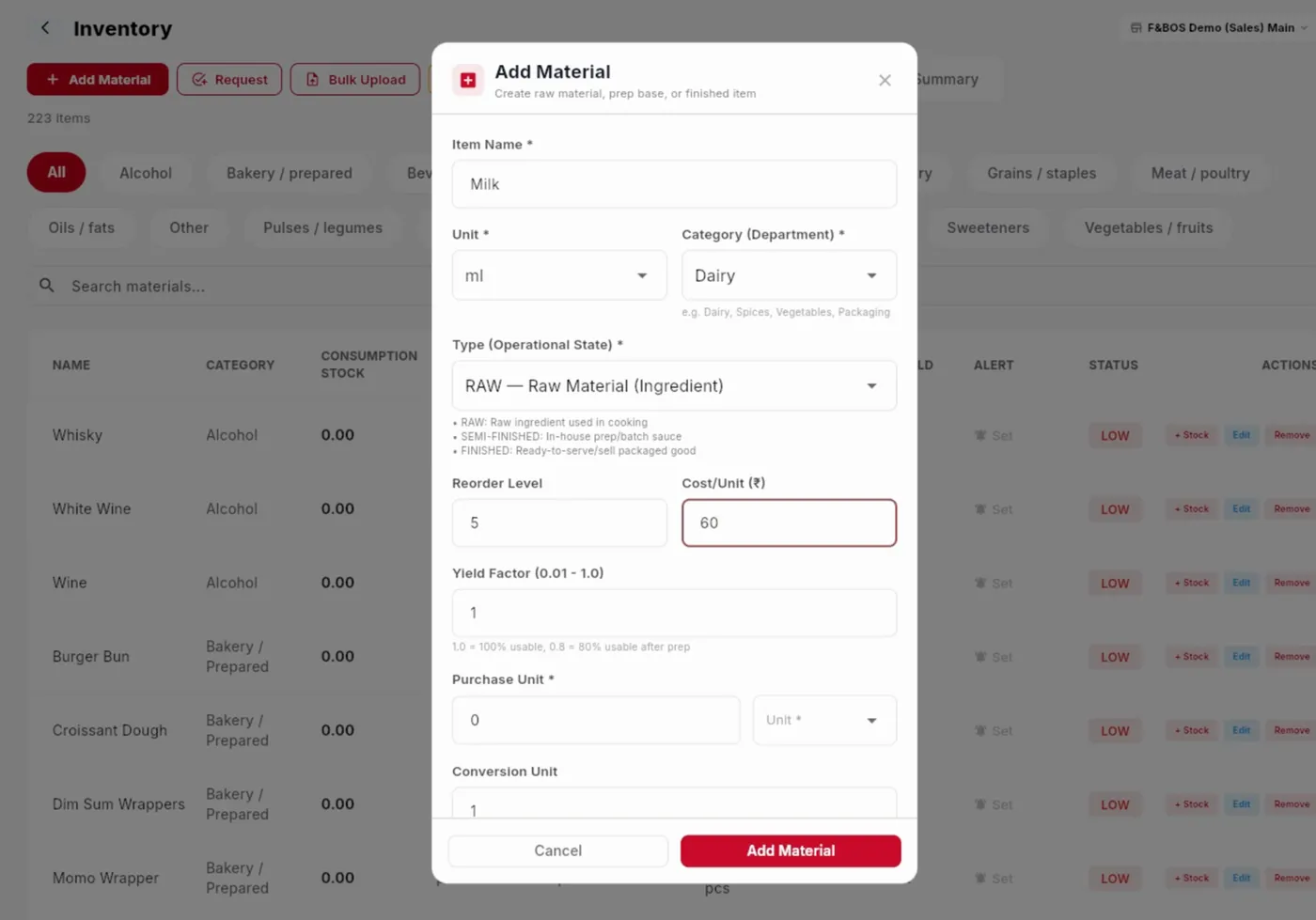
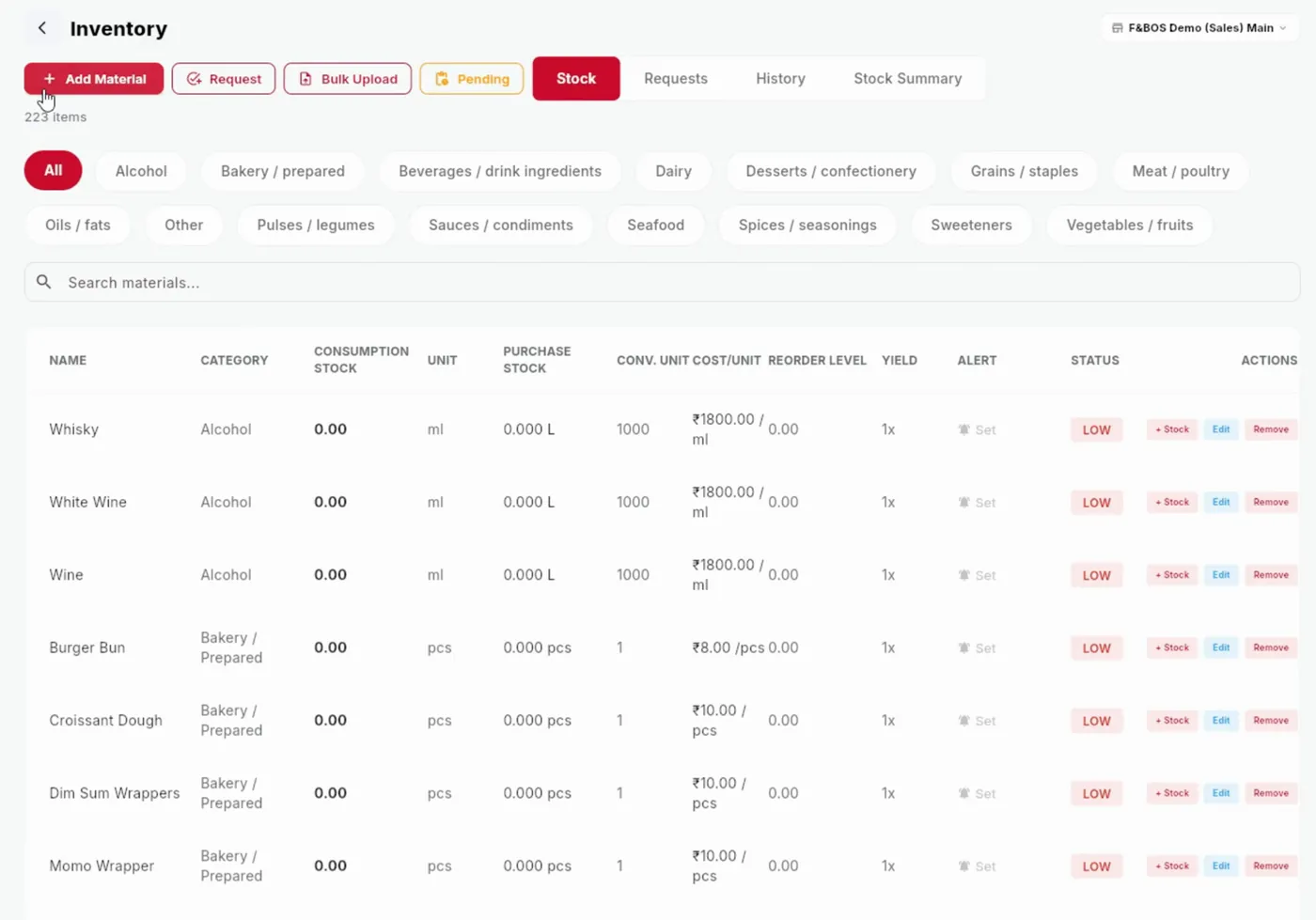
Real F&Bos screens from the web dashboard. They show the reorder level; the par field and the suggested reorder list aren't in these screenshots.
Receive low-stock alerts before reordering
| Alert | F&Bos |
|---|---|
| Trigger | Stock falls below the reorder level |
| On screen | Flagged on the inventory list and dashboard |
| To the owner | |
| Yes | |
| App notification | Yes |
| Per outlet | Each outlet's own reorder level |
Source: F&Bos product team, 23 November 2026. An alert is a warning, not an order.
Auto reorder restaurant stock: what F&Bos automates
| Stage | What happens | F&Bos |
|---|---|---|
| Stock monitoring | Stock on hand, updated by bills | Yes |
| Low-stock alerts | Warning at the reorder level | Yes |
| Reorder suggestions | Par minus stock | Yes |
| Purchase order drafts | A PO document | No |
| Approval workflow | PO approved before sending | No |
| Automatic supplier orders | Sent by the software | No |
You review the list, export it and order from suppliers by phone or WhatsApp as you do today.
From reorder list to goods receipt
By recipe, when saved
Screen, WhatsApp, email, app
Par minus stock; export
Outside F&Bos
Delivery adds to stock
| Purchase function | F&Bos |
|---|---|
| Supplier records and price history | Yes |
| Goods receipt note | Yes, adds to stock |
| Purchase returns | Yes |
| Central purchasing for outlets | Yes |
| Purchase orders and approvals | No |
Source: F&Bos product team, 23 November 2026. More in restaurant ERP software.
Manage stock requirements across restaurant outlets
| Outlet | Stock | Par | Suggested |
|---|---|---|---|
| Outlet A | 12 kg | 30 kg | 18 kg |
| Outlet B | 20 kg | 30 kg | 10 kg |
| Outlet C | 8 kg | 30 kg | 22 kg |
| Total | 40 kg | 90 kg | 50 kg |
Illustrative quantities, not F&Bos customer data.
Each outlet keeps its own stock and reorder levels. Head office can buy centrally, move stock between outlets, or supply them from a central kitchen. See multi-outlet management.
Restaurant inventory automation vs manual reordering
| Area | Manual | F&Bos |
|---|---|---|
| Stock on hand | Weekly count | Updated with every bill |
| Low stock | Someone notices | Alert at the reorder level |
| How much to buy | Guess | Par minus stock |
| Placing the order | Phone or WhatsApp | Phone or WhatsApp |
| Receiving | Paper challan | Goods receipt note |
Inventory replenishment for different food businesses
Cafés: milk and beans; see café POS software.
QSRs and cloud kitchens: fast-moving items flagged before the rush.
Chains: outlet levels with central buying.
Central kitchens: production stock from indents.
F&Bos restaurant inventory replenishment pricing
| Plan | Inventory and replenishment | Per outlet per year |
|---|---|---|
| Basic | ₹3,500 inventory pack | ₹6,000 |
| Pro | Included | ₹15,000 |
| Enterprise (3+ outlets) | Included | ₹24,000 |
Source: F&Bos pricing and the F&Bos product team, 23 November 2026. Plus 18% GST. Inventory covers stock, levels, alerts and the reorder list. Assisted setup with inventory is ₹3,000 per outlet on Pro.
Frequently asked questions about restaurant inventory replenishment
What is automatic restaurant inventory replenishment?
Software that tracks stock and helps decide what to restock, from alerts up to sending orders.
How does F&Bos track ingredient stock?
Receipts add stock; bills, waste and returns take it off.
When does F&Bos deduct ingredients?
When the bill is saved. A cancellation puts them back.
What is a par level?
The stock level you restock to. F&Bos suggests par minus stock.
Can F&Bos send low-stock alerts?
Yes: on screen, to the owner on WhatsApp, by email and in the app.
Does F&Bos create purchase orders?
No. It suggests a reorder list; you order from suppliers.
Does it work across outlets?
Yes, with outlet reorder levels, transfers and central buying.
How can I see it?
Book a free 20-minute demo or WhatsApp +91 79803 72217.
Make restaurant stock replenishment more organised with F&Bos
See your own items with par levels and a reorder list in a free 20-minute demo, or explore inventory features.
Book Your Free Demo →Free 20-minute demo · Free self-setup, or assisted setup from ₹2,000 · WhatsApp: +91 79803 72217