 F&Bos
Food Court Billing Software for Multi-Vendor Operations
F&Bos food court billing software lets a customer order from several stalls and pay once, sends each item to its stall, bills it under that vendor's GSTIN and gives the operator vendor-wise sales and settlement statements, for mall, campus and corporate food courts.
What is food court billing software?
Food court billing software records sales across the stalls in a food court and keeps each vendor's money, menu and tax apart. Food courts run in different ways:
- Independent stall billing: each vendor bills its own customers.
- Central billing: customers order from several vendors and pay once.
- Shared prepaid card or wallet: customers top up once and spend at any stall.
- Vendor settlement: the operator works out what each vendor is owed.
F&Bos supports all four, and also several counters run by one business.
Different ways food court POS systems handle billing
| Model | Who bills | Who collects | Settlement | F&Bos |
|---|---|---|---|---|
| Counters of one business | The business | The business | Not needed | Yes |
| Independent vendors | Each vendor | Each vendor | Usually none | Yes |
| Central billing | Central counter | Operator | Operator pays vendors | Yes |
| Shared wallet | Any stall | Operator, at top-up | Operator pays vendors | Yes |
Source: F&Bos product team, 23 November 2026.
Why food courts need better billing and operational visibility
- One customer, three stalls, three queues at lunch.
- Vendor sales tallied by hand from slips and UPI screenshots.
- Commission disputes when vendors and the operator count differently.
- GST on the wrong name when the operator bills for vendors.
Key features of F&Bos food court POS software
One bill across vendors
A customer orders from several stalls and pays once at the central counter.
Vendor logins and menus
Each vendor keeps its own menu and prices and sees only its own sales.
KOT to each stall
Each item goes to the right stall's printer or screen from one order.
Shared prepaid card or wallet
Customers top up once and pay at any participating stall.
Vendor-wise sales
Sales and orders by vendor, with the food court total on top.
Settlement statements
Commission deducted, refunds adjusted, payouts tracked.
Source: F&Bos product team, 23 November 2026.
Where the food court is run from
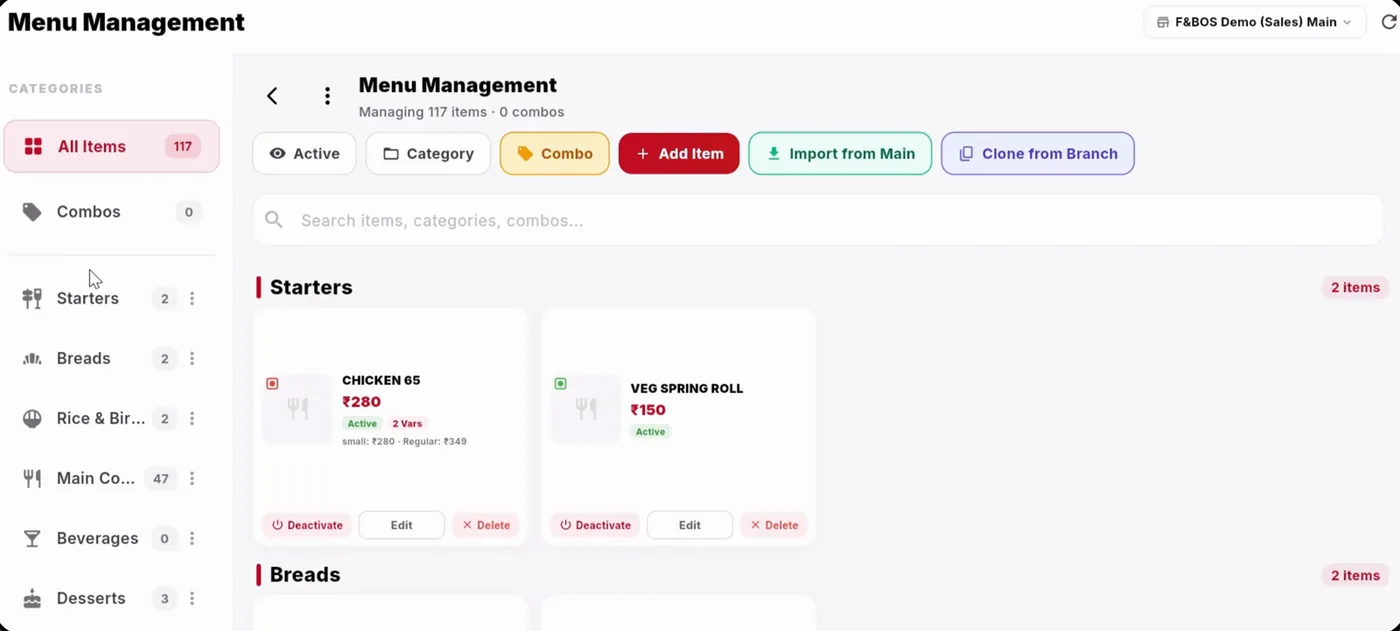
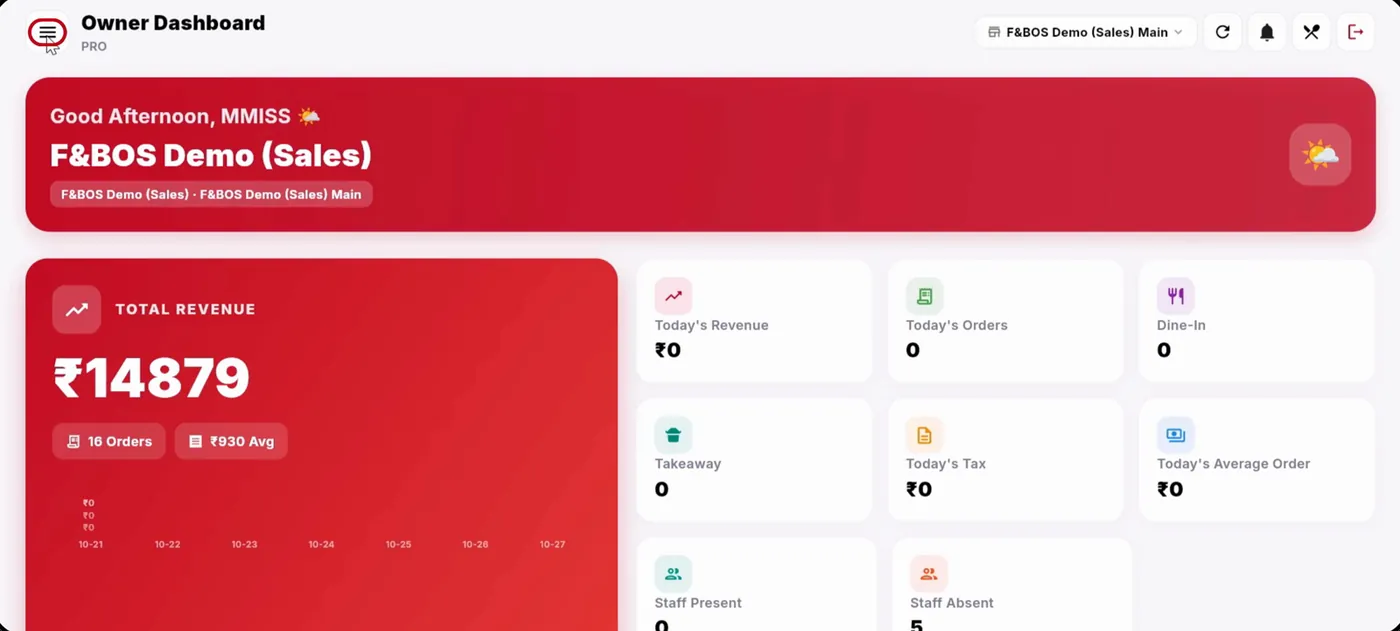
Real F&Bos screens.
How multi-vendor food court billing works
At the central counter the cashier adds items from any vendor. The customer pays once, each item's KOT goes to its stall, and each vendor's items are billed under that vendor's own GSTIN, so every seller issues its own tax invoice.
| Vendor | Item | Amount |
|---|---|---|
| Vendor A | Veg burger | ₹150 |
| Vendor B | Cold coffee | ₹100 |
| Vendor C | Fried rice | ₹180 |
| Total paid once | ₹430 |
Illustrative multi-vendor order, not F&Bos customer data.
Food courts are taxed like standalone restaurants: 5% GST without input tax credit. See the GST on restaurants guide.
Vendor settlement and sales reconciliation
When the operator collects the money, it owes each vendor its sales less what the agreement allows it to keep.
| Vendor A, one month | Amount |
|---|---|
| Gross sales | ₹50,000 |
| Refunds | −₹2,000 |
| Management commission | −₹5,000 |
| Other agreed deductions | −₹1,000 |
| Net payable | ₹42,000 |
Educational example only, not an F&Bos settlement or recommended commission.
| Settlement function | F&Bos |
|---|---|
| Vendor-wise sales | Yes |
| Commission deducted | Yes, in the settlement report |
| Refund adjustments | Yes |
| Statement per vendor per period | Yes |
| Payout tracking | Yes: paid and still owed |
| Automatic bank payouts | No: you pay vendors yourself |
Managing payments in a multi-vendor food court
With central billing, the operator collects cash, UPI or card for the whole order. With the shared wallet, the customer tops up a food court card or wallet once and every stall deducts from it. Either way, each sale is recorded against its vendor for the settlement statement. Vendors that bill independently collect their own payments.
The same wallet and card billing runs office and college counters: see canteen management software.
Route food court orders to the right vendor
Items from several vendors, paid once
Each item matched to its stall
Printer or screen at the stall
Each stall cooks its items
Customer collects from each stall
This is the same station routing a restaurant uses for its kitchen and bar, applied to independent stalls. See kitchen display system.
Monitor food court sales and vendor performance
The operator sees the food court total and each vendor's sales and orders; each vendor sees only its own.
| Vendor | Daily sales | Orders |
|---|---|---|
| Vendor A | ₹18,000 | 90 |
| Vendor B | ₹14,000 | 70 |
| Vendor C | ₹22,000 | 110 |
Illustrative data only.
Food court POS vs multi-outlet restaurant POS
| Capability | Multi-outlet POS | F&Bos food court |
|---|---|---|
| Where | Several locations | One location, many stalls |
| Sellers | One business | Separate vendors |
| Billing | Per outlet | One bill across vendors |
| GST | One GSTIN per outlet | Each vendor's GSTIN |
| Reports | By branch | By vendor |
| Settlement | Not needed | Statements and payouts |
For branches you own in different places, see multi-outlet management.
Food court POS software for different dining environments
Mall food courts: central billing, a shared card and vendor settlement.
College food courts: student wallets and fast token billing between classes.
Corporate food courts: several vendors on one campus, paid from employee wallets.
Hospital food courts: stalls for visitors and staff, reported vendor by vendor.
Food halls: independent vendors, each with its own login, menu and GSTIN. Single counters with tokens fit QSR POS software.
F&Bos food court POS software pricing
| Plan | Includes | Per outlet per year |
|---|---|---|
| Basic | Billing, KOT, GST, captain app | ₹6,000 |
| Pro | Basic plus inventory, kitchen display, CRM, payroll, MarginMind | ₹15,000 |
| Enterprise (3+ outlets) | Pro plus multi-outlet dashboard, Tally file, account manager | ₹24,000 |
Source: F&Bos pricing, 23 November 2026. Plus 18% GST. How a food court is licensed (per vendor, per counter or per site) and which plan includes central billing, the wallet and settlement is confirmed in the demo.
Frequently asked questions about food court POS software
What is food court POS software?
Billing software for food courts that keeps each vendor's menu, sales and tax apart, whether vendors bill alone or through a central counter.
What is the difference between food court POS and restaurant POS?
A restaurant POS bills for one business. A food court POS handles several sellers: vendor menus, vendor GSTINs, vendor reports and settlement.
Does F&Bos support multiple independent food vendors?
Yes. Each vendor has its own login, menu and prices and sees only its own sales.
Can F&Bos generate a combined bill for several food stalls?
Yes. The customer pays once; each vendor's items are billed under that vendor's GSTIN and sent to its stall.
Does F&Bos support vendor-wise sales reports?
Yes, sales and orders by vendor, with the food court total.
Can F&Bos calculate and manage vendor settlements?
Yes: statements per vendor with commission deducted and refunds adjusted, and payout tracking. Payments to vendors are made by you, not by F&Bos.
Does F&Bos support prepaid food court cards or wallets?
Yes. Customers top up once and pay at any participating stall.
How can I book a demonstration of F&Bos?
Book a free 20-minute demo or WhatsApp +91 79803 72217.
Explore food court billing and management with F&Bos
See central billing, stall KOTs and a settlement statement in a free 20-minute demo, or explore F&Bos solutions.
Book Your Free Demo →Free 20-minute demo · Free self-setup, or assisted setup from ₹2,000 · WhatsApp: +91 79803 72217